
What you need before you start
Before starting the setup, make sure you have the following ready:1. unCoded license
You need an active unCoded license to run the bot. The license connects your setup to your account and allows the bot to operate.Activate your free $25 trial license here.
Learn here how to activate your unCoded license.
2. Exchange account
You need an account with a supported exchange, such as Binance. You can find all supported exchanges here. Make sure your account is fully verified and ready for trading before continuing.3. API keys from your exchange
Your bot uses API keys to connect to your exchange account. You will need:- API key
- API secret
- The correct API permissions for trading (Spot-Trading enabled, IP-Restriction)
Save 20% on trading fees with the unCoded Binance referral link. New customers only.
Learn here how to set up Binance and create your API.
4. Server hosting
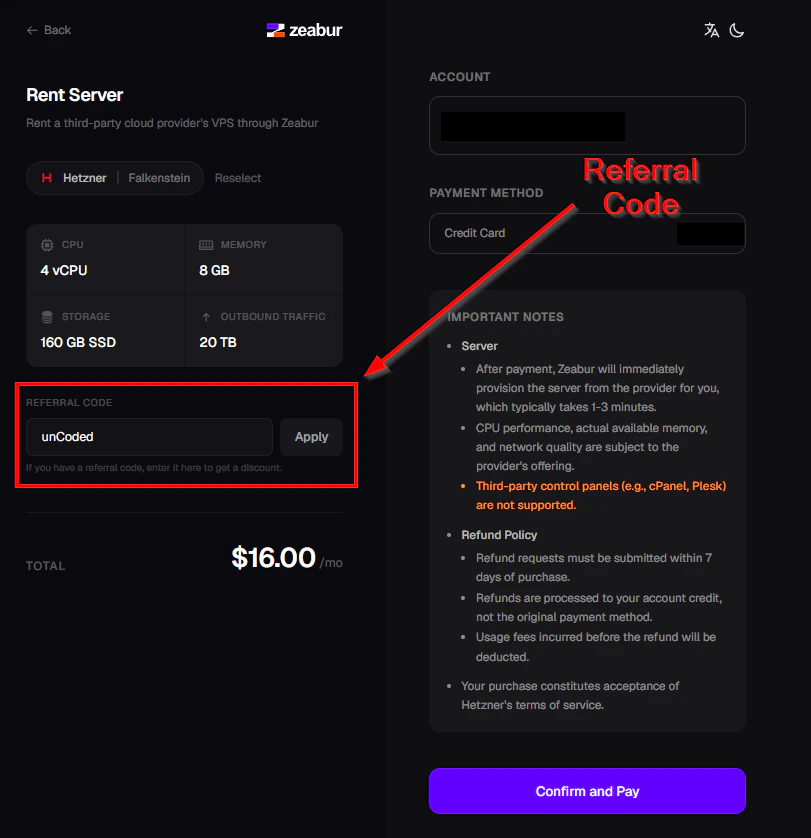
Your bot needs to run on a server so it can stay online continuously. The recommended setup uses Zeabur, which allows you to deploy and manage the bot without setting up your own server manually.Use the referral code “unCoded” during your first server purchase to get 10% off your server.
Learn here how to set up your Zeabur Server.