
When creating a new account, you will receive $25 in license credit automatically. This allows you to test unCoded free of charge at the beginning.
👤 Login using your Google Account
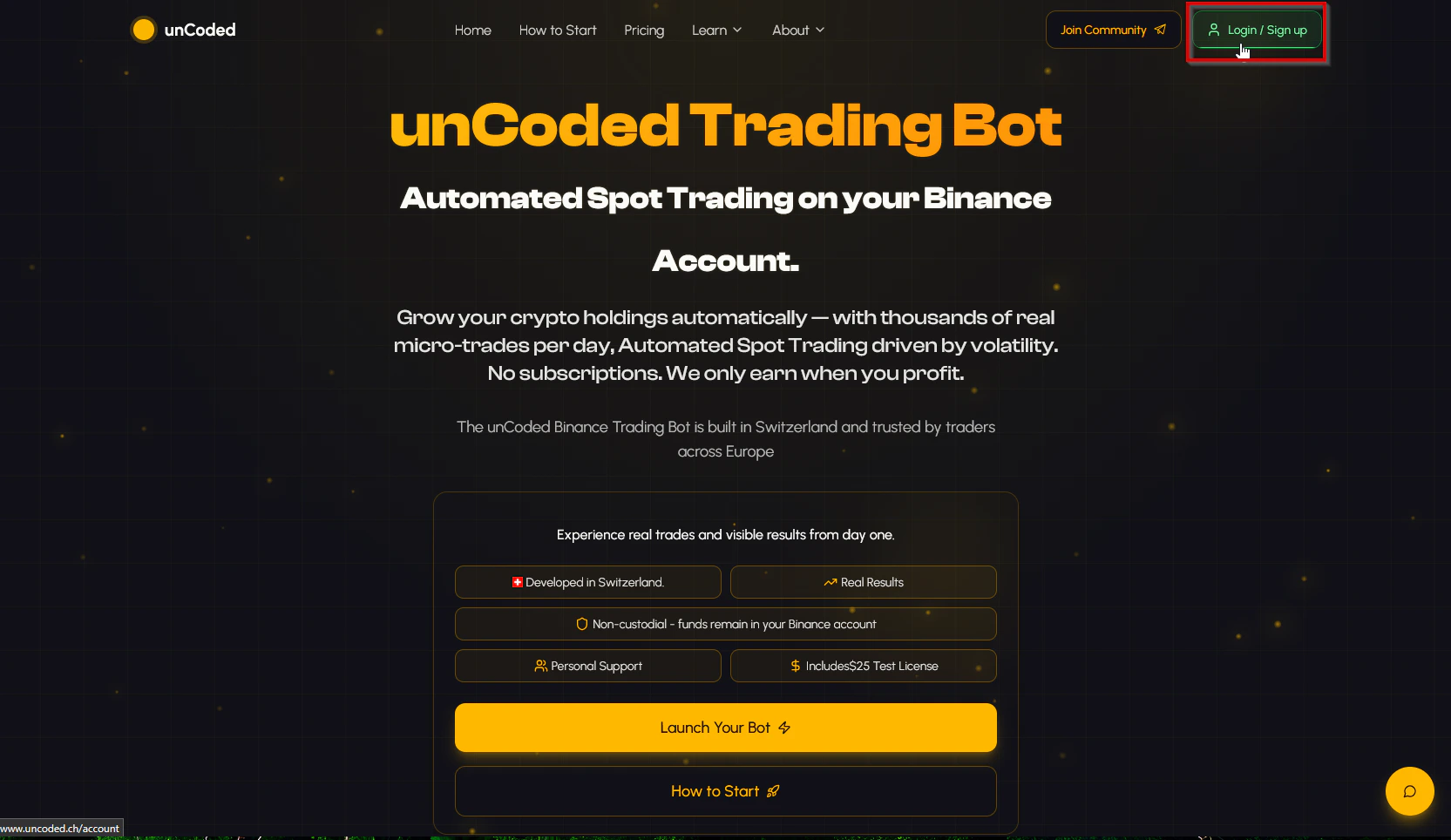
- Go to https://uncoded.ch/ and log in there using the “Login / Sign Up” button with your Google account.
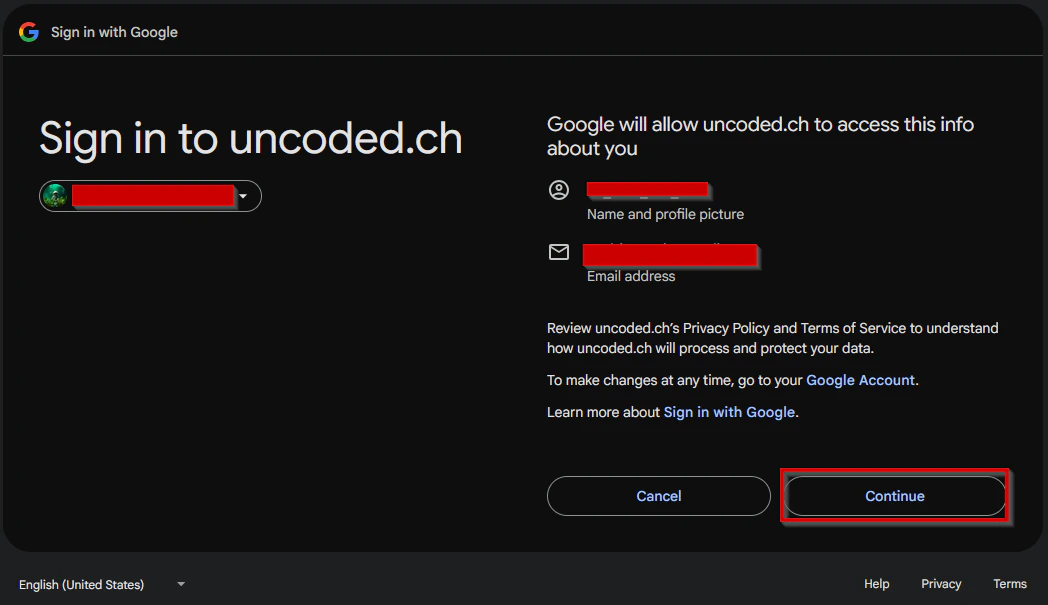
- Then confirm that you want to log inby pressing “Continue”.
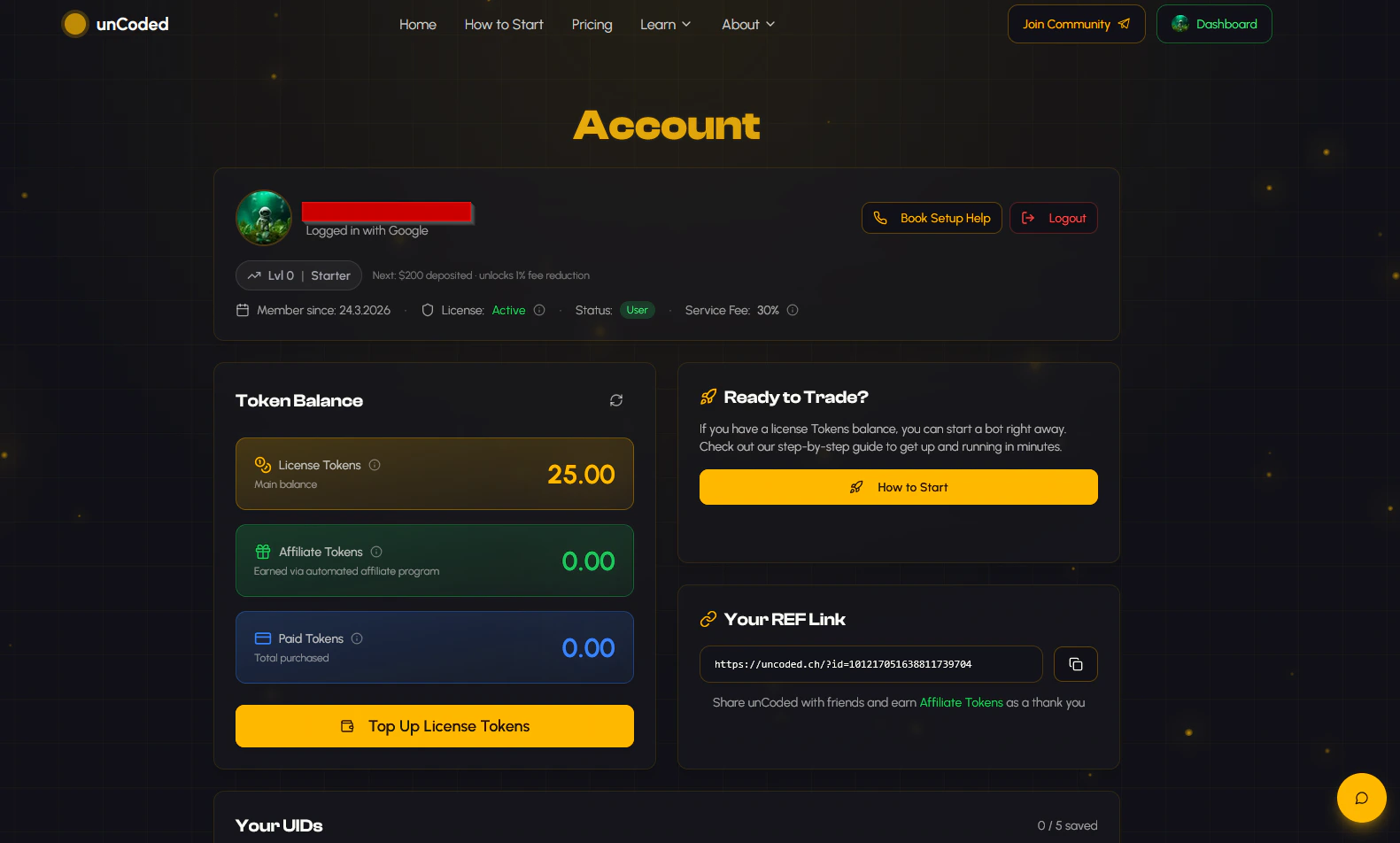
You are now in the dashboard and almost ready to get started. Next, you still need to add your Binance UID.
📟 Add your Binance UID / API Keys
- Open your Binance dashboard.
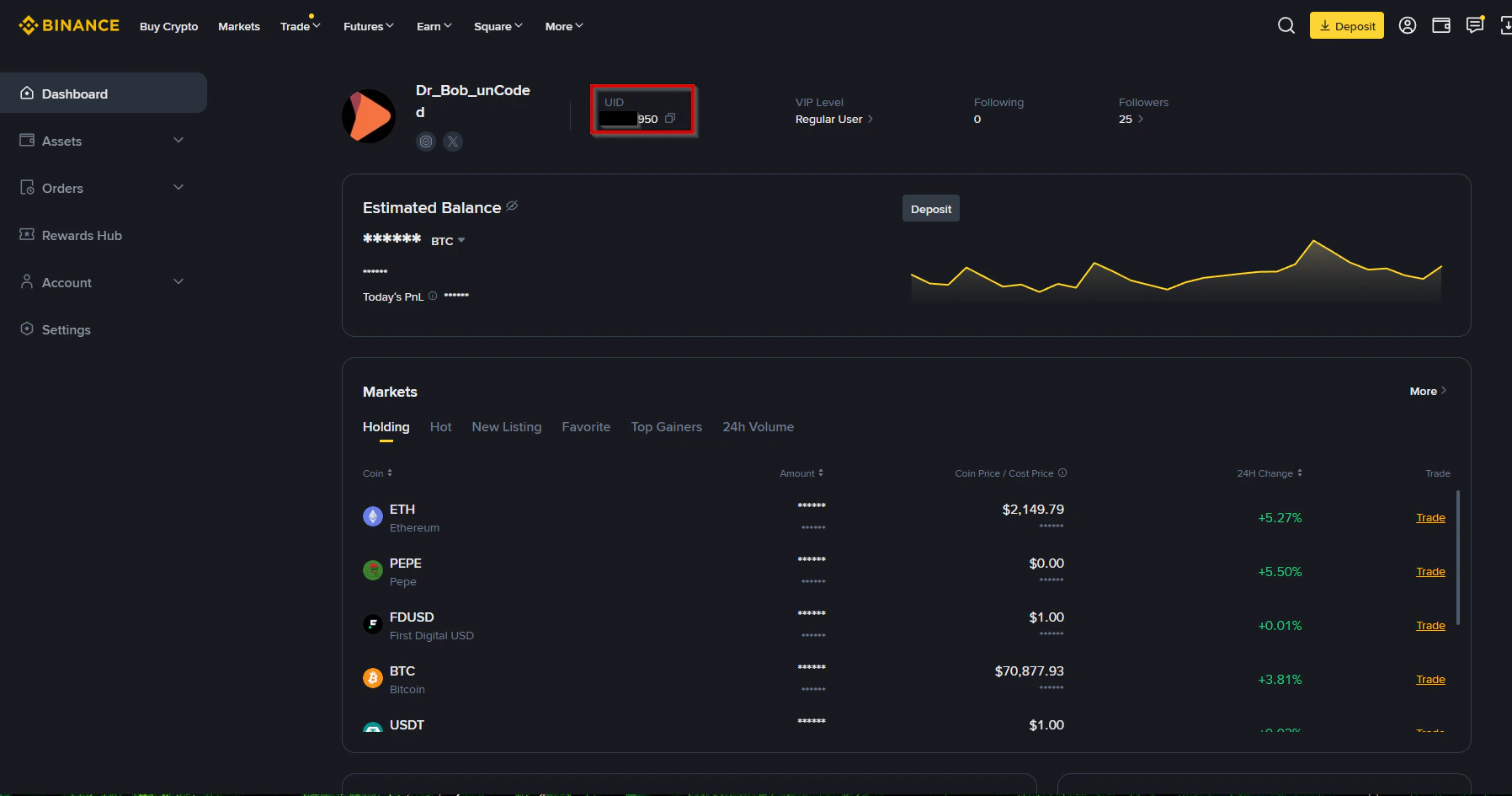
- Copy your UID and go back to your unCoded dashboard.
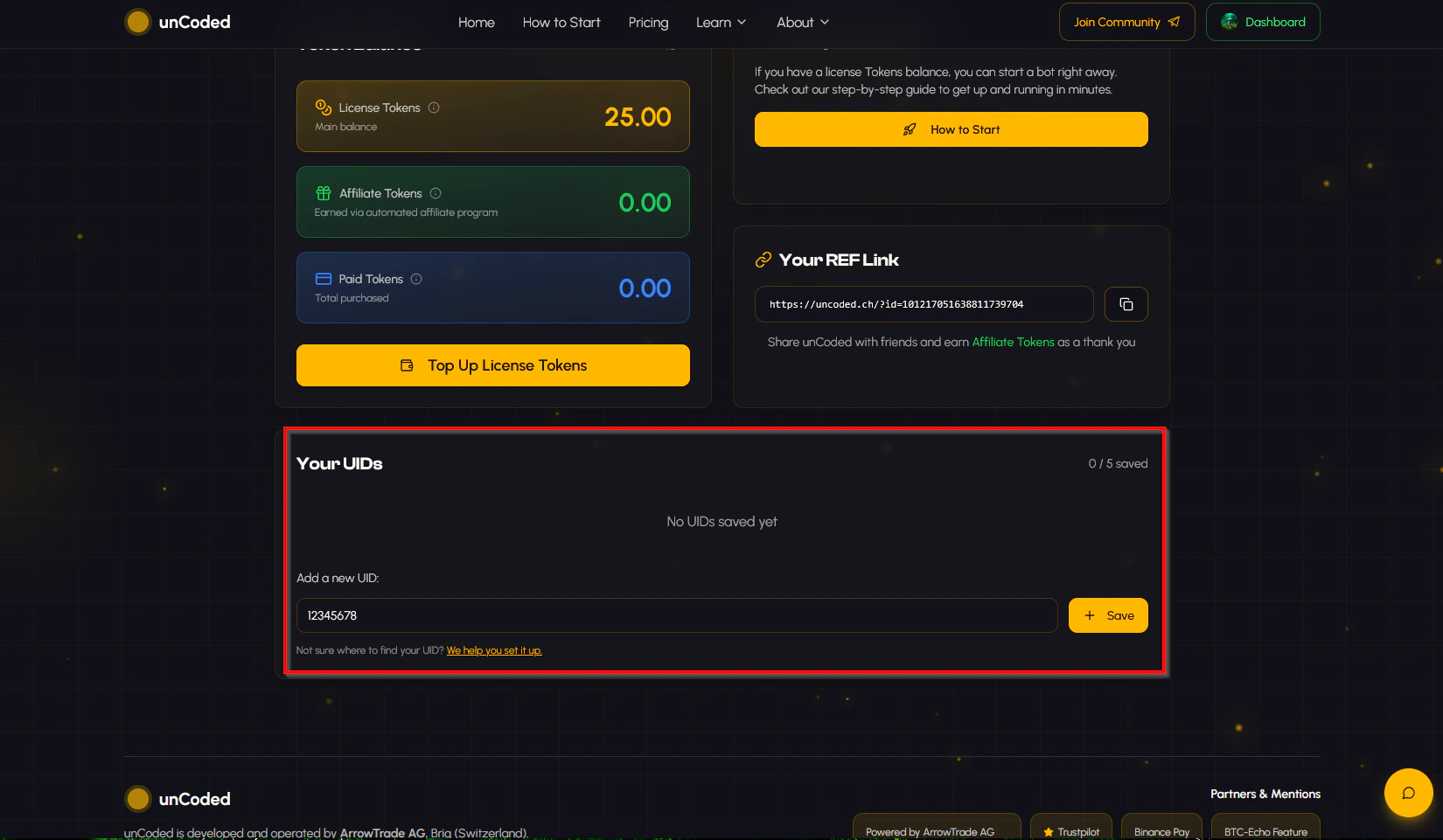
- Scroll down until you see the “Your UIDs” field and enter your UID or your API Key under “Add a new UID:”. Then click “Save”.
Awesome! Lets setup your own unCoded Server now!In the next step, you need to set up your own server (don’t worry, it’s super easy).